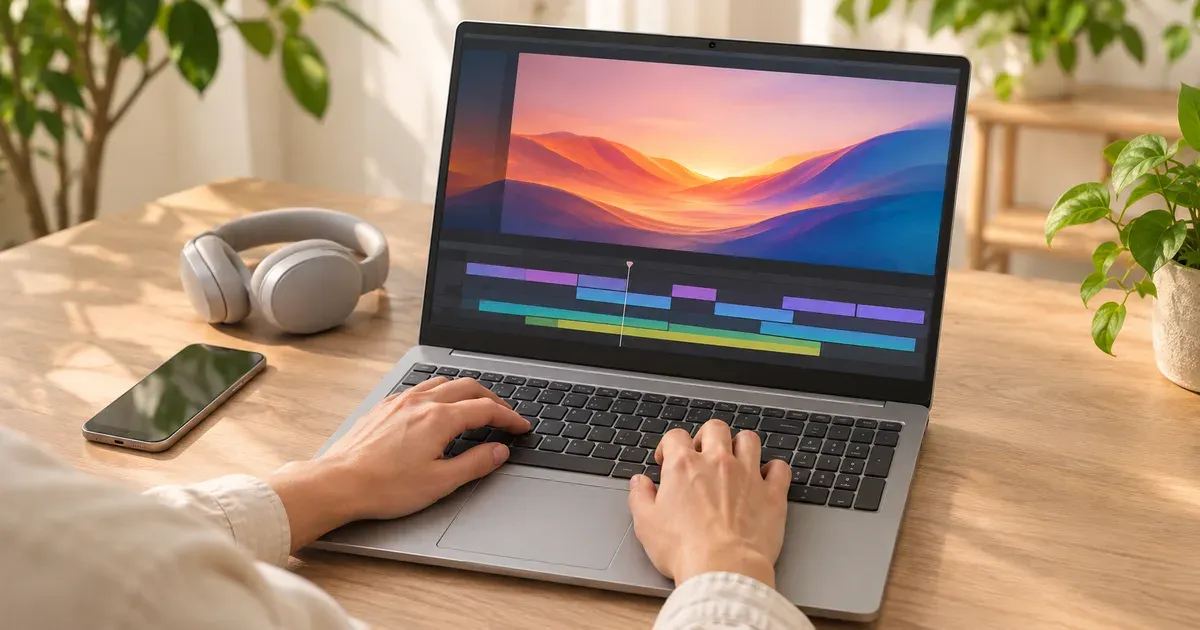
The best budget laptop for video editing is the Acer Aspire 16 AI at $599.99 on Amazon: a Core Ultra 5 226V with Intel Arc 130V graphics, 16GB of memory and a 16-inch 120Hz screen covering 100% sRGB. For more color accuracy, the ASUS Vivobook S14 (S3407AA) at $799.99 on the ASUS eShop has a 14-inch OLED covering 95% DCI-P3 and a 70 Wh battery. If you can reach about $1,000, the M5 MacBook Air was $1,034.10 on Amazon (Apple lists it at $1,299), with 16GB and a 512GB SSD as standard. For long 4K timelines and GPU effects, a budget gaming laptop with an Nvidia GPU is the better tool. Prices are from November 23, 2026.
Budget Video Editing Laptops Compared
| Laptop | CPU | Graphics | RAM | Storage | Display | Weight | Battery (maker claim) | Ports | Price (Nov 23, 2026) |
|---|---|---|---|---|---|---|---|---|---|
| Acer Aspire 16 AI (A16-52M-58A1) | Core Ultra 5 226V | Arc 130V (7 Xe) | 16GB LPDDR5X, fixed | 512GB PCIe Gen 4 | 16” 1920x1200, 120Hz, 100% sRGB | 3.4 lb | up to 26.5 h video | 2x Thunderbolt 4, HDMI 2.1 | $599.99 (Amazon) |
| ASUS Vivobook S14 (S3407AA-SS53) | Core Ultra 5 325 | Intel Graphics (4 Xe) | 16GB on board, max 32GB | 512GB PCIe 4.0 | 14” 1920x1200 OLED, 95% DCI-P3 | 3.09 lb | 70 Wh; up to 29 h | 2x USB-A, HDMI 2.1 | $799.99 (ASUS) |
| Apple MacBook Air 13” M5 | M5, 10-core CPU | 8-core GPU | 16GB unified, fixed | 512GB SSD | 13.6” 2560x1664, 500 nits, P3 | 2.7 lb | 53.8 Wh; 18 h video, 15 h web | 2x Thunderbolt 4, MagSafe 3, 3.5mm | $1,034.10 (Amazon), $1,299 (Apple) |
| Lenovo LOQ Essential 15” Intel | Intel | Nvidia RTX 3050 | — | — | 15” | — | — | — | $849.99 (Lenovo) |
What a Video Editing Laptop Needs
- 16GB of memory. Editors cache frames in RAM. Most budget laptops solder memory, so an 8GB laptop stays 8GB. Apple’s MacBook Neo, for example, comes only with 8GB.
- A modern GPU or media engine. Lunar Lake (Core Ultra 200V), Panther Lake (Core Ultra 300) and Apple’s M5 have far stronger graphics than the Intel N-series chips in $300 laptops, which Intel lists with one memory channel and a 16GB ceiling.
- A color-accurate screen. Look for 100% sRGB or a DCI-P3 figure on the spec sheet. Many budget panels list 45% NTSC, which shows washed-out color.
- Fast storage and ports. Footage fills 256GB fast. Thunderbolt 4 or USB 10Gbps ports let you edit from an external SSD.
1. Acer Aspire 16 AI: Best Budget Laptop for Video Editing
The Aspire 16 AI puts Intel’s Lunar Lake Core Ultra 5 226V, Arc 130V graphics and 16GB of LPDDR5X into an aluminum 16-inch body for $599.99. The 1920x1200 screen runs at 120Hz and covers 100% sRGB, so 1080p footage looks right. Two Thunderbolt 4 ports handle an external SSD and a monitor at once, and Acer claims up to 26.5 hours of video playback. The memory is on the chip package and can’t be upgraded.
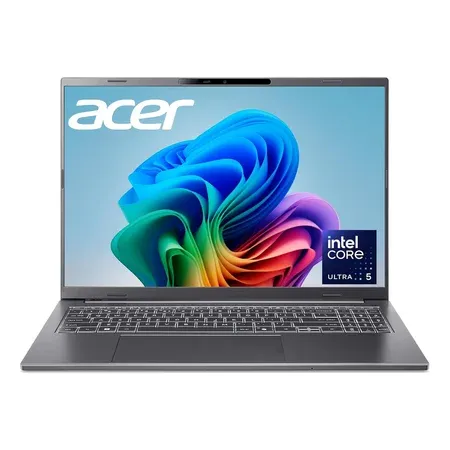
Best budget laptop for video editing
Acer Aspire 16 AI (Core Ultra 5 226V, 16GB, 512GB)
Arc 130V graphics, 16-inch 120Hz 100% sRGB, 2x Thunderbolt 4. $599.99 sold by Amazon on November 23, 2026.
2. ASUS Vivobook S14 (S3407AA): Best OLED for Color Work
The S3407AA-SS53 has a Panther Lake Core Ultra 5 325 (47 TOPS NPU), 16GB of DDR5 on board (ASUS lists a 32GB maximum) and a 14-inch 1920x1200 OLED covering 95% DCI-P3. Its 70 Wh battery is the largest on this list, and ASUS claims up to 29 hours. It weighs 3.09 lb and has a backlit keyboard. It was $799.99 on the ASUS eShop (down from $1,149.99). Amazon’s Vivobook S14 listing is a 32GB Core Ultra 7 model at $1,289.43.
3. Apple MacBook Air M5: Best Step-Up for Editing
If your budget reaches about $1,000, the M5 MacBook Air is the most capable editing laptop near that price. Apple raised its price to $1,299 on June 25, 2026, but Amazon had the 13-inch at $1,034.10 on November 23. It starts with 16GB and 512GB, has a 13.6-inch P3 display and two Thunderbolt 4 ports. Apple’s Black Friday offer, a $200 Apple Gift Card with the Air from November 27 to 30, applies only at Apple. Avoid the 8GB MacBook Neo for regular editing.
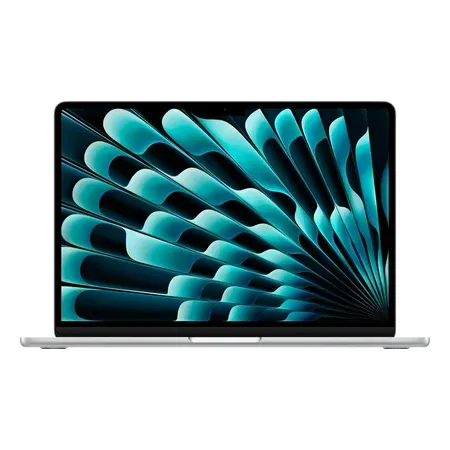
Best step-up for editing
Apple MacBook Air 13-inch (M5, 16GB, 512GB)
M5, 16GB, 512GB, 13.6-inch P3 display, 18 h video (Apple). $1,034.10 sold by Amazon on November 23, 2026; $1,299 at Apple.
4. A Budget Gaming Laptop: Best for 4K and Effects
Editors that lean on GPU effects and encoding run faster with an Nvidia GPU. One of the cheapest at a maker store on November 23 was the Lenovo LOQ Essential 15” Intel with an RTX 3050 at $849.99 on lenovo.com. Gaming laptops are heavier and run shorter on battery. Our best gaming laptops for video editing and best budget gaming laptops guides compare the current models.
What to Skip
- Laptops with 4GB or 8GB of soldered memory, including 8GB Snapdragon models like the ASUS Zenbook 14 UX3480QA.
- Intel N-series and AMD Ryzen 5 7520U / “Ryzen 5 40” laptops. AMD lists the 7520U as a Zen 2 chip with Radeon 610M graphics (2 compute units).
- Snapdragon laptops if you use plug-ins with their own drivers. Microsoft says kernel-mode components must be built for Arm64.
FAQ
Can a $600 laptop edit video?
Yes, for 1080p projects. The Acer Aspire 16 AI has 16GB, Arc 130V graphics and a 100% sRGB screen for $599.99. Long 4K timelines are easier with an Nvidia GPU or an M5 MacBook Air.
Is 8GB of RAM enough for video editing?
It’s tight. 8GB handles short phone clips, but 16GB is the realistic minimum. Most budget laptops can’t be upgraded later, so buy 16GB at the start.
Is the MacBook Neo good for video editing?
For short clips, yes. It has 8GB of memory that can’t be upgraded and a 5-core GPU. The M5 MacBook Air, with 16GB, is the better editing Mac.
Do I need a gaming laptop for video editing?
Not for 1080p editing. A dedicated Nvidia GPU helps with 4K, effects-heavy timelines and GPU-accelerated exports.