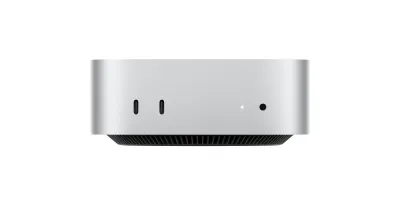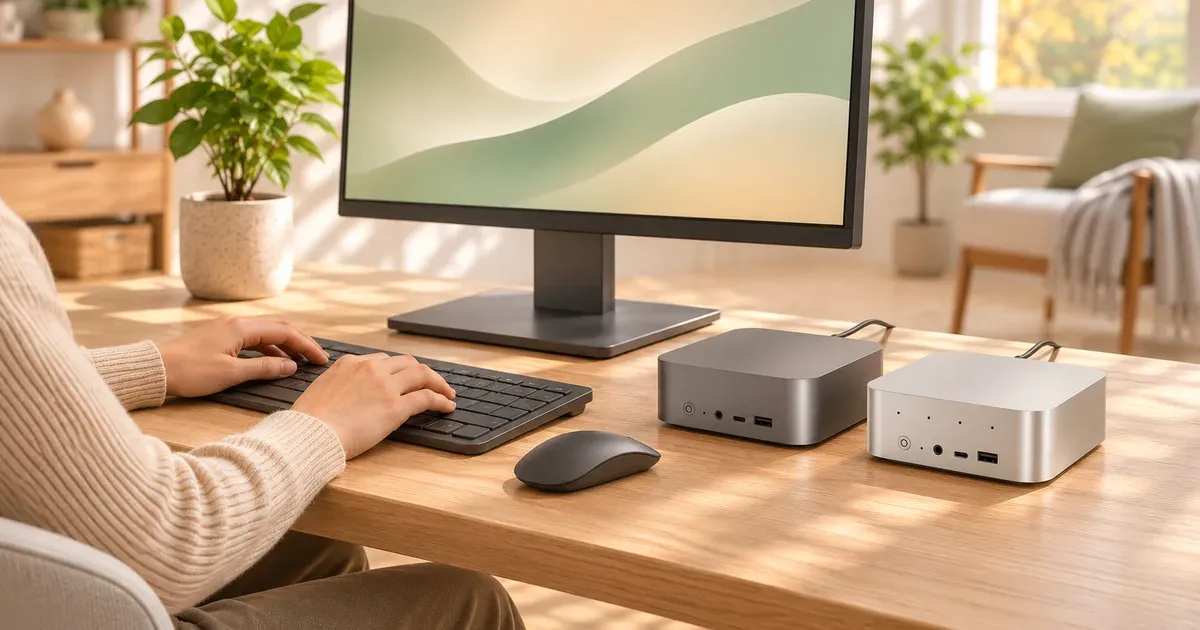
The short answer: the SER9 Pro (Ryzen 7 H 255) is the better buy for most people at $779, and the SER8 is worth its higher price only if you want to upgrade the memory later. The two are closer than their names suggest. Both use an 8-core Zen 4 Ryzen 7 with Radeon 780M graphics and share the same 135 x 135 mm chassis, ports layout and 3-year warranty. The big difference is memory: the SER8 uses two DDR5 SO-DIMM slots (32GB included), while the SER9 Pro has 24GB of soldered LPDDR5X. On November 22, 2026 Beelink sold the SER8 32GB/1TB for $1,059 and the SER9 Pro 24GB/1TB for $779.
SER8 vs. SER9 Pro at a Glance
| Beelink SER8 | Beelink SER9 Pro (H 255) | |
|---|---|---|
| CPU | Ryzen 7 8745HS, 8C/16T, up to 4.9GHz | Ryzen 7 H 255, 8C/16T, up to 4.9GHz |
| Graphics | Radeon 780M, 12 CUs | Radeon 780M, 12 CUs |
| Memory | 32GB DDR5-5600, 2x SO-DIMM (upgradable) | 24GB LPDDR5X-6400, soldered |
| Storage | 1TB; 2x M.2 2280 PCIe 4.0 x4, 8TB max | 1TB; 2x M.2 2280 PCIe 4.0 x4, 8TB max |
| Rear video | HDMI 2.1 (4K 120Hz), DP 1.4 (4K 144Hz), USB4 | HDMI (4K 240Hz), DP 1.4 (4K 240Hz), USB4 |
| Other ports | USB4 40Gbps, front USB-C 10Gbps, USB 3.2 x2, USB 2.0 x2, headphone | Same layout |
| Ethernet | 1x 2.5GbE | 1x 2.5GbE |
| Wi-Fi / BT | Wi-Fi 6 / BT 5.2 | Wi-Fi 6 / BT 5.2 |
| Displays | 3 | 3 |
| Power adapter | About 100W (19V 5.26A) | About 120W (19V 6.32A) |
| Size / weight | 135 x 135 x 44.7 mm, 750 g | 135 x 135 x 44.7 mm, 780 g |
| Warranty | 3 years | 3 years |
| Beelink price, Nov. 22, 2026 | $1,059 (was $1,199), 32GB/1TB | $779 (was $919), 24GB/1TB |
| Amazon price, Nov. 22, 2026 | $999 (32GB/500GB) to $1,099 (32GB/1TB) | $819 |
Specs and prices from Beelink’s product pages; Amazon prices checked the same day.
Same Chip Family, Different Memory
AMD lists the 8745HS as an 8-core, 16-thread Zen 4 chip boosting to 4.9GHz with Radeon 780M graphics, and Beelink lists the H 255 with the same core count, boost clock and GPU. In daily use, expect them to feel the same. The SER9 Pro’s LPDDR5X runs at 6400 MT/s against the SER8’s DDR5-5600, which helps the integrated graphics a little, since the GPU shares system memory.
The trade-off is flexibility. With the SER8, you can go to 64GB or more later by swapping SO-DIMMs. With the SER9 Pro, 24GB is what you’ll have for the life of the machine. If you run virtual machines, local AI models or large photo catalogs, that matters. For office work, browsing, streaming and light games, 24GB is plenty.
The Other SER9 Pro
Beelink also sells a SER9 Pro with the Ryzen AI 9 HX 370 (12 cores, Radeon 890M with 16 CUs, 32GB soldered) for $1,169. It ships with Ubuntu and Beelink’s “OpenClaw” AI software, with Windows as an option. If you want a much faster integrated GPU in the same small box, that’s the one, but it’s a different price class.
What Happened to the SER8 8845HS?
Beelink’s store now lists only the 8745HS SER8. The 8845HS version is the same chip with an NPU (16 TOPS) and a 5.1GHz boost. It still appears on Amazon from Beelink’s store, for example $999 for 24GB/1TB on November 22, 2026. Unless you use software that runs on the NPU, the 8745HS model is equivalent.
Which Should You Buy?
- SER9 Pro (H 255) if 24GB is enough: it’s $280 cheaper at Beelink for the same performance class.
- SER8 if you want 32GB now and the option to add more memory later.
- SER9 Pro HX 370 if you want much stronger integrated graphics and you’re fine with Ubuntu out of the box.
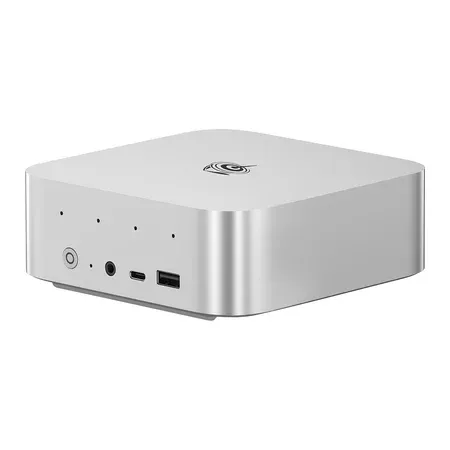
Best value
Beelink SER9 Pro (Ryzen 7 H 255, 24GB/1TB)
Radeon 780M, 24GB soldered LPDDR5X, two M.2 slots, USB4 and 4K 240Hz HDMI/DP. 3-year warranty.
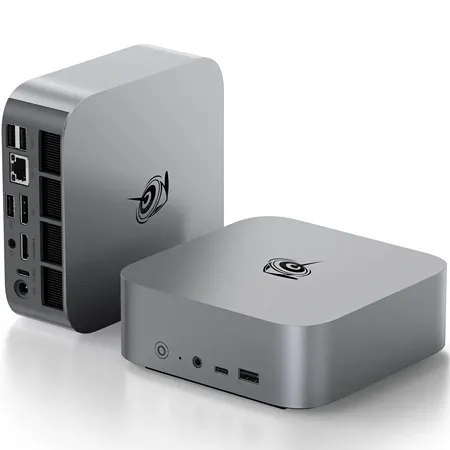
Upgradable memory
Beelink SER8 (Ryzen 7 8745HS, 32GB/1TB)
Same Radeon 780M class with 32GB of DDR5 in two SO-DIMM slots you can upgrade, plus two M.2 slots.
See our Beelink SER8 review for more on the SER8, and Beelink’s Black Friday sale for current discounts.
Beelink SER8 vs. SER9 Pro FAQ
Is the SER9 Pro faster than the SER8?
The H 255 SER9 Pro and the 8745HS SER8 are in the same performance class: same core count, same 4.9GHz boost, same Radeon 780M. The SER9 Pro’s faster LPDDR5X memory gives the graphics a small edge. The HX 370 SER9 Pro is much faster.
Can you upgrade the RAM in the SER9 Pro?
No. Its LPDDR5X is soldered. The SER8 has two SO-DIMM slots.
Do both have two SSD slots?
Yes. Both have two M.2 2280 PCIe 4.0 x4 slots, up to 8TB total.
Which is better for gaming?
Equal with the H 255 SER9 Pro; clearly the HX 370 SER9 Pro, whose Radeon 890M has 16 compute units to the 780M’s 12.
How long is Beelink’s warranty?
Three years on both, per Beelink’s warranty policy.