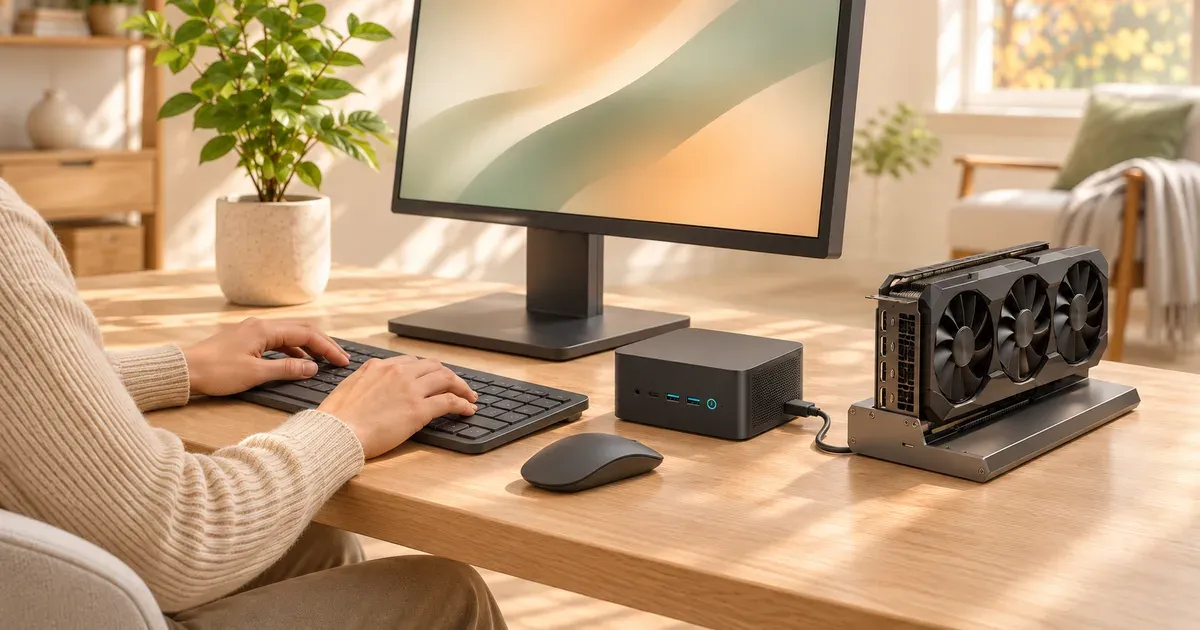
The short answer: OCuLink is the better eGPU connection for a mini PC that stays on a desk, because it’s a direct PCIe 4.0 x4 link to the graphics card with nothing in between; USB4 or Thunderbolt is the better choice if you need to plug and unplug the GPU while the computer is running, or your mini PC has no OCuLink port. OCuLink docks are also cheap: Minisforum’s DEG1 was $115–119 on Amazon on November 22, 2026, and basic OCuLink docks started around $50. You supply the graphics card and a desktop power supply either way.
OCuLink vs. USB4 at a Glance
| OCuLink | USB4 / Thunderbolt 4 | |
|---|---|---|
| What it carries | PCIe lanes only (PCIe 4.0 x4 on mini PCs) | PCIe tunneled inside a 40Gbps link shared with USB and DisplayPort |
| Link speed | PCIe 4.0 x4 (docks list 64Gbps) | 40Gbps total |
| Connector | SFF-8611/8612 OCuLink cable | USB-C |
| Hot-plug | Generally no: connect before powering on | Yes |
| Power to the PC | No | Many enclosures can charge a laptop; mini PCs have their own supply |
| Dock cost | About $50–120 for an open dock (plus your own PSU) | Varies; many enclosures include a power supply |
| Mini PC support | Some models (see below) | Most current mini PCs have at least one USB4 or Thunderbolt port |
Why OCuLink Is Faster in Practice
OCuLink connects the graphics card straight to four PCIe 4.0 lanes from the processor. USB4 has to carry PCIe traffic inside its 40Gbps link alongside USB and display data, which adds overhead. A graphics card loses some performance on any x4 link compared with a full desktop slot; OCuLink loses less than USB4.
Which Mini PCs Have Native OCuLink
| Mini PC | OCuLink | Price, Nov. 22, 2026 |
|---|---|---|
| Minisforum UM890 Pro | Native, PCIe 4.0 x4 | $1,015 (32GB/1TB) at Minisforum; $463 barebone |
| Minisforum AI X1 Pro-370 / -470 | Native, PCIe 4.0 x4 | $1,247 / $1,327 (32GB/1TB) |
| Minisforum M1 Pro-285H | Native | $1,103 (32GB/1TB) |
| GMKtec K8 Plus, K11, K12, EVO-X1 | Yes | K8 Plus $919.99 (32GB/1TB) at GMKtec |
| GMKtec EVO-X3 | Yes, PCIe 4.0 x4 | $3,799.99 (128GB/2TB) |
Watch for adapter OCuLink. Minisforum’s X1 Lite, AI X1 (non-Pro) and UM870/880 Plus provide OCuLink through an M.2 adapter that uses one of the SSD slots.
Beelink has no OCuLink. Its eGPU route is the EX Pro dock ($179), which connects to the GTi14 and GTi15 Ultra through an internal PCIe x8 slot (PCIe 5.0 x8 per Beelink) and has a built-in 600W power supply.
What You Need for an OCuLink eGPU
- A mini PC with an OCuLink port.
- An OCuLink dock, such as the Minisforum DEG1 (supports ATX and SFX power supplies and has a force-power-on switch).
- A desktop graphics card and a power supply that can feed it.
- The OCuLink cable that comes with the dock.
Turn the dock and its power supply on before booting the mini PC.
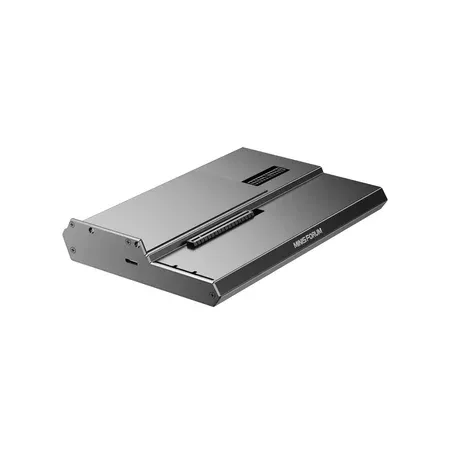
Best OCuLink dock
Minisforum DEG1 OCuLink eGPU Dock
OCuLink 4i (PCIe 4.0 x4) dock for desktop graphics cards; takes ATX or SFX power supplies. $115 on Amazon.
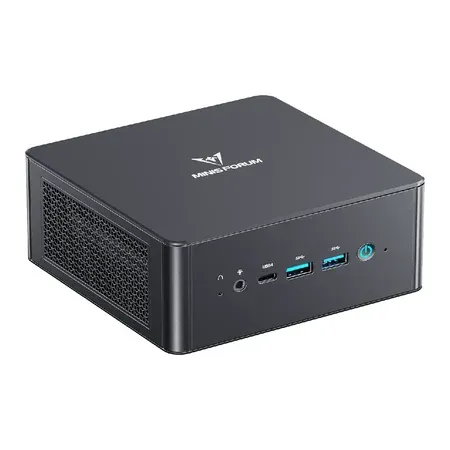
Mini PC with native OCuLink
Minisforum UM890 Pro (Ryzen 9 8945HS, 32GB/1TB)
Native OCuLink plus two USB4 ports, dual 2.5GbE and four displays. $1,009 on Amazon on Nov. 22, 2026.
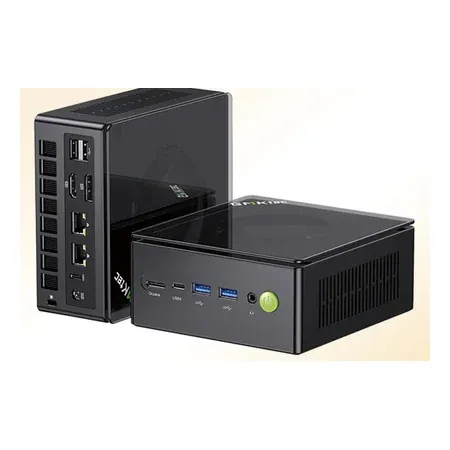
Cheaper OCuLink mini PC
GMKtec K8 Plus (Ryzen 7 8845HS, 32GB/512GB)
OCuLink, two USB4 ports and dual 2.5GbE. $879.99 on Amazon on November 22, 2026.
For more on OCuLink mini PCs, see Minisforum UM890 Pro vs. AI X1 Pro.
OCuLink vs. USB4 eGPU FAQ
Is OCuLink better than Thunderbolt for an eGPU?
For performance, yes: it’s a direct PCIe 4.0 x4 link rather than PCIe tunneled through a 40Gbps USB4/Thunderbolt connection. Thunderbolt and USB4 are better for hot-plugging and single-cable setups.
Can you hot-plug an OCuLink eGPU?
Generally no. Power on the dock first, then boot the computer, and shut down before disconnecting.
Does a Beelink mini PC support OCuLink?
No current Beelink lists OCuLink. Beelink’s GTi14 and GTi15 Ultra connect to its EX Pro dock through an internal PCIe x8 slot; other Beelinks can use USB4.
Do I need a power supply for an OCuLink dock?
Yes. OCuLink carries only PCIe signals, so the graphics card needs its own desktop power supply. The DEG1 takes ATX or SFX units.
Does an M.2-to-OCuLink adapter work?
Yes, and some Minisforum models ship that way, but it uses one of your SSD slots.