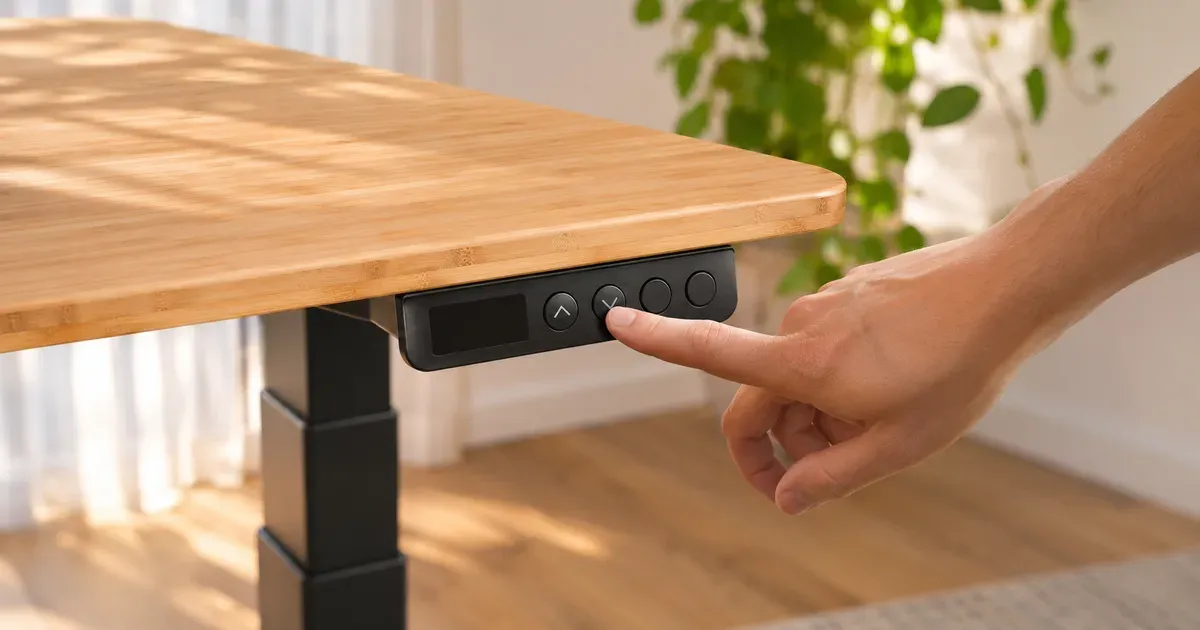
Most FlexiSpot error codes clear with a reset: press and hold the down button until the desk reaches its lowest height and bounces back up slightly. If the display shows E01 or E02, the motors have run too long or too hot, and the fix is to wait 18 minutes. E03 and E04 mean the desk is overloaded. Codes from E07 up point to a motor cable, a motor, or the control box.
FlexiSpot Error Codes at a Glance
| Code | What it means | What to do |
|---|---|---|
| ASr, rSt or RST | The desk needs a reset | Hold the down button until the desk bottoms out and rebounds |
| E01 | The motors have run too long without a rest | Wait 18 minutes |
| E02 | The motors are too hot | Wait 18 minutes for them to cool |
| E03 | Motor 1 overcurrent | Reduce the load to within the rating and try again |
| E04 | Motor 2 overcurrent | Reduce the load to within the rating and try again |
| E07 | Motor 1 sensor fault | Reseat the motor cable at the control box, then reset |
| E08 | Motor 2 sensor fault | Reseat the motor cable at the control box, then reset |
| E09 | The two ends of the desktop are out of balance | Even out the load, then reset |
| E19 | The desk is tilted | Check for tilt, a stuck leg or a loose control box, then try again |
| E20, E21 | Motor 1 or motor 2 sensor fault | Reseat the cable and reset; otherwise the motor or control box needs replacing |
| E22, E23 | Motor 1 or motor 2 power and sensor fault | Reseat the cable and reset; otherwise the motor or control box needs replacing |
| E30 | Six-axis sensor fault | The control box needs replacing |
| E41 | Self-balancing failed | Clear anything under the desktop, check for a stuck leg, then reset |
| _OL | Fault while lowering | Reduce the load to within the rating, then reset |
FlexiSpot’s owner manuals define only the reset display, E01 and E02, and tell you to contact support for anything else. The full table comes from FlexiSpot’s published test report for the E7 Pro, which lists these codes for its two-motor desks.
How to Reset a FlexiSpot Standing Desk
A reset re-levels the legs and re-teaches the control box where the bottom is. It clears most codes and fixes a desk that moves only one way, stops partway, or sits at the bottom and won’t rise.
E7, E7 Pro, E7 Plus and E7L
- Clear everything from under the desk.
- Press and hold the down button. Keep holding as the desk lowers.
- Hold until the desk reaches its lowest height and rebounds slightly. Release.
If the down button does nothing, check that every cable is seated, unplug the desk for at least 10 seconds, plug it back in, and hold the down button when the display shows ASr.
E5
- Hold the down button until the desk reaches its lowest position, then release.
- Hold the down button again until the display shows the current height.
If that doesn’t work, hold buttons 3 and 4 together for 3 seconds until the display shows rSt, release, then hold the down button until the height appears.
E2
The E2 uses the same steps as the E5. Its button combination is the standing and sitting preset buttons held together for 3 seconds. The display shows a software version first; keep holding until it shows rSt.
ASr, rSt and RST
These are the same message: the desk is waiting for a reset. FlexiSpot’s seven-button keypad, used on the E7 series, shows it as ASr. The six-button keypad on the E5 and E2 shows rSt. It appears after a power cut, after the desk is unplugged, when the legs get out of step, or after a protection trip. Hold the down button until the desk bottoms out and rebounds.
E01 and E02: Wait 18 Minutes
FlexiSpot’s motors have a 10% duty cycle: 2 minutes of running, then 18 minutes of rest. Raising and lowering the desk repeatedly, as people do when setting presets on a new desk, trips E01 (ran too long) or E02 (too hot).
Nothing is broken. On the E7 series, leave the desk plugged in and wait 18 minutes. On the E5 and E2, FlexiSpot says to unplug the desk for 18 minutes and then reconnect it.
E03, E04 and _OL: Too Much Weight
E03 and E04 are overcurrent codes for motor 1 and motor 2, and _OL is the same problem on the way down. The motors are drawing more power than they should, almost always because the desk is carrying more than its rating or is pushing against something.
Check the load against your frame’s lifting capacity:
| Frame | Lifting capacity |
|---|---|
| E2 | 176 lb |
| E5 | 220 lb |
| E7 | 352 lb |
| E7 Pro | 396 lb |
| E7 Plus | 440 lb |
On a frame sold without a top, the desktop counts toward that number. Also check that the desk isn’t catching on a windowsill, a shelf, a drawer unit, or its own cables.
E07, E08 and E20 to E23: Motor and Cable Faults
These codes name a motor. E07, E20 and E22 are motor 1. E08, E21 and E23 are motor 2. They mean the control box isn’t getting a clean signal from that leg.
- Unplug the desk.
- Unplug and firmly reseat the motor cable for that leg at the control box, and check the extension cable connection if your frame has one.
- Plug the desk back in and reset it.
If the code returns, the motor or the control box needs replacing. A desk that shows one of these codes out of the box is a warranty claim. Contact FlexiSpot with your order number.
E09, E19 and E41: Uneven or Tilted
E09 means the two ends of the desktop are loaded unevenly. E19 means the desk is tilted. E41 means the desk tried to level itself and couldn’t. Move heavy items toward the middle, check that nothing is wedged under the desktop, check that no leg is stuck, and reset. If one leg stays visibly higher than the other after a reset, contact FlexiSpot.
E30: Control Box
E30 is a fault in the six-axis sensor inside the control box, the part that detects collisions and tilt. A reset won’t clear it. The control box needs replacing.
What Does H01 Mean on a FlexiSpot Desk?
FlexiSpot’s current US manuals for the E2, E5, E7, E7 Pro, E7 Plus and E7L don’t list H01. On the control boxes that do use it, including UPLIFT’s, H01 means the motors have overheated. Treat it the same way as FlexiSpot’s E01 and E02: stop adjusting the desk and let it rest for 18 minutes.
Lock, Presets and Anti-Collision
How to lock and unlock the keypad
On the E7, E7 Pro, E7 Plus and E7L, press and hold M for about 5 seconds to lock or unlock the keypad. A blue light above the down and M buttons shows that it’s locked. If the buttons seem dead and that light is on, the desk is locked, not broken. The E5 and E2 have no lock.
How to save a preset
On the seven-button keypad, move the desk to the height you want, press M so the display shows “S-”, then press 1, 2, the standing button, or the sitting button. On the E5 and E2, hold a preset button for 3 seconds until the display shows S-1 to S-4.
How to change anti-collision sensitivity
Hold the up and down buttons together, for 5 seconds on the seven-button keypad or 3 seconds on the E5 and E2. The display cycles through A-0 (off), A-1 (low), A-2 (medium) and A-3 (high). If the desk stops and reverses for no reason, lower the sensitivity. FlexiSpot notes that soft or very light objects may not trigger it.
When to Contact FlexiSpot
Contact FlexiSpot if a code comes back after a reset, if E30 appears, or if a motor code shows on a new desk. FlexiSpot covers the frame, motors and electronics for 15 years on the E7 series, 10 years on the E5 and 5 years on its other desks, and it ships replacement parts free within the continental U.S. Support is at contact@flexispot.com and 855-585-5618.
For how the brand handles claims in practice, see are FlexiSpot standing desks good?
FlexiSpot Error Code FAQ
How do I reset my FlexiSpot standing desk?
Press and hold the down button until the desk reaches its lowest height and rebounds slightly, then release. On the E5, hold buttons 3 and 4 for 3 seconds first if the display doesn’t show rSt.
What does ASr mean on a FlexiSpot desk?
It means the desk needs a reset. ASr is how the E7-series keypad displays it; the E5 and E2 show rSt. Hold the down button until the desk bottoms out and rebounds.
What does E01 mean on a FlexiSpot desk?
The motors have run longer than their duty cycle allows, which is 2 minutes in every 20. Wait 18 minutes and the desk will work again.
What does E07 or E08 mean on a FlexiSpot desk?
A sensor fault on motor 1 (E07) or motor 2 (E08). Reseat that leg’s cable at the control box and reset the desk. If the code returns, the motor or control box needs replacing.
What does E23 mean on a FlexiSpot desk?
A power and sensor fault on motor 2. Reseat the motor cable and reset. If it appears on a new desk, ask FlexiSpot for a replacement part.
What does H01 mean on a FlexiSpot standing desk?
H01 is an overheat code on the control boxes that use it. FlexiSpot’s current manuals use E01 and E02 for the same condition. Let the desk rest for 18 minutes.
Why won’t my FlexiSpot desk go up?
The usual causes are a locked keypad, a desk waiting for a reset, a tripped duty cycle, or too much weight. Check for the blue lock light, do a reset, wait 18 minutes if you’ve been adjusting it a lot, and check the load.
How do I unlock a FlexiSpot standing desk?
On the E7 series, press and hold M for about 5 seconds until the blue light goes out.