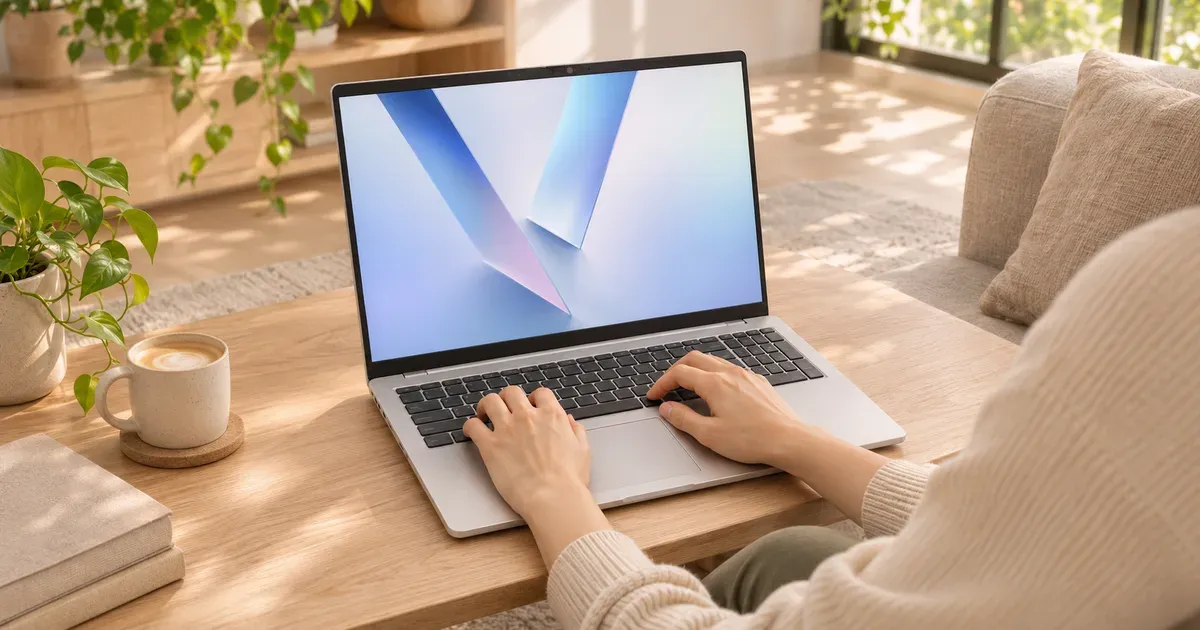
The best budget laptop for battery life is the HP OmniBook 3 14 with Snapdragon X and 16GB, at $499 on Amazon. It has a 60 Wh battery, and HP claims up to 41 hours 45 minutes. The ASUS Vivobook 14 (X1407QA) is the alternative from the same chip family: $499.99 on the ASUS eShop, 16GB, a backlit keyboard and up to 29 hours claimed. If you want the biggest battery under $700, the Acer Swift Air 14 fits 70 Wh into a 2.62 lb body for $699.99. Mac buyers get up to 16 hours of video from the MacBook Neo ($649 on Amazon). Prices are from November 23, 2026.
Battery Life Compared
| Laptop | Battery | Maker runtime claim | CPU | RAM | Display | Weight | Price (Nov 23, 2026) |
|---|---|---|---|---|---|---|---|
| HP OmniBook 3 14 (14-hz0588nr) | 60 Wh | up to 41 h 45 min | Snapdragon X X1-26-100 | 16GB | 14” 1920x1200 OLED | 3.13 lb | $499 (Amazon) |
| ASUS Vivobook 14 (X1407QA-BS56) | 50 Wh | up to 29 h | Snapdragon X X1-26-100 | 16GB | 14” 1920x1200, 300 nits | 3.28 lb | $499.99 (ASUS) |
| HP OmniBook 5 14 (14T-MH000) | 60 Wh | up to 42 h local video | Core 5 320 | 8GB | 14” 1920x1200 OLED | 2.56 lb | $449.99 (HP) |
| Acer Swift Air 14 (SFA14-I31-58V8) | 70 Wh | up to 19 h video, 16 h web | Core 5 320 | 8GB | 14” 1920x1200, 120Hz | 2.62 lb | $699.99 (Acer) |
| Samsung Galaxy Book4 Edge 15.6” (NP750XQB-KA4US) | 61.2 Wh | up to 28 h local video | Snapdragon X X1-26-100 | 16GB | 15.6” 1920x1080 | 3.31 lb | $599.99 (Samsung) |
| Acer Aspire 16 AI (A16-52M-58A1) | — | up to 26.5 h video | Core Ultra 5 226V | 16GB | 16” 1920x1200, 120Hz | 3.4 lb | $599.99 (Amazon) |
| Apple MacBook Neo 13” | 36.5 Wh | up to 16 h video, 11 h web | A18 Pro | 8GB | 13” 2408x1506 | 2.7 lb | $649 (Amazon), $699 (Apple) |
The hour figures are each maker’s own claim, measured with different tests (mostly local video playback at reduced brightness). Watt-hours are the fairer comparison between laptops with similar chips and screens. The Swift Air 14 runtime and display figures come from Acer’s launch announcement.
What Gives a Budget Laptop Long Battery Life
- The chip. Intel lists a 15 W base power for the 2026 Core 5 320 and 45 W for the older Core i5-13420H, and the Snapdragon X laptops here carry the longest maker claims. ASUS claims up to 8 hours for its i5-13420H Vivobook 16.
- Battery size. Budget laptops range from 41 Wh (HP Laptop 15, Dell 15) to 70 Wh. More watt-hours means more time at the same power draw.
- The screen. Brightness is the biggest drain you control. OLED panels use less power on dark content and more on white pages.
- Windows on Arm trade-offs. Snapdragon laptops last longest, but Microsoft says apps and devices that rely on kernel drivers (some anti-cheat games, antivirus and older printer drivers) need Arm64 versions. See can you game on a Snapdragon laptop.
1. HP OmniBook 3 14 (Snapdragon X): Best Battery Life for the Money
The 14-hz0588nr has a 60 Wh battery, a Snapdragon X X1-26-100 and 16GB of memory for $499. HP’s listing claims up to 41 hours 45 minutes and supports HP Fast Charge. You also get a 14-inch 1920x1200 OLED, an FHD IR camera and HDMI 2.1. The keyboard isn’t backlit. The 8GB version (14-hz0188nr) was $379.99, but its memory can’t be upgraded.
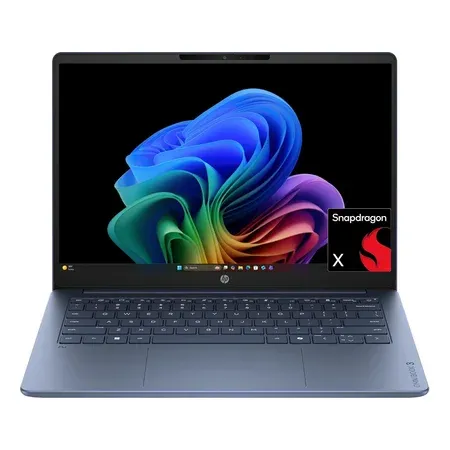
Best battery life for the money
HP OmniBook 3 14 (Snapdragon X, 16GB, 256GB)
60 Wh battery, HP claims up to 41 h 45 min, 14-inch OLED, 16GB. $499 sold by Amazon on November 23, 2026.
2. ASUS Vivobook 14 (X1407QA): Best With a Backlit Keyboard
The X1407QA-BS56 has the same Snapdragon X chip with 16GB of soldered memory, a 512GB SSD, a 50 Wh battery and a backlit keyboard. ASUS claims up to 29 hours. It has two USB4 ports, two USB-A ports and HDMI 2.1. It was $499.99 on the ASUS eShop (Amazon listings ran about $650). ASUS charges a 15% restocking fee on opened returns.
3. HP OmniBook 5 14 (14T-MH000): Lightest Long-Lasting Laptop
At 2.56 lb, the 14T-MH000 is the lightest laptop here, yet it has a 60 Wh battery and HP claims up to 42 hours of local video. It runs x86 Windows on a Core 5 320, so drivers install as usual. It has 8GB of onboard memory, a 100% DCI-P3 OLED and no USB-A ports. HP’s price was $449.99.
4. Acer Swift Air 14: Biggest Battery Under $700
Acer fits a 70 Wh battery into the 2.62 lb Swift Air 14 and claims up to 19 hours of video and 16 hours of web browsing, one of the few web-browsing claims in this price range. It has a Core 5 320, 8GB, 512GB, a 14-inch 1920x1200 120Hz screen and a backlit keyboard. It was $699.99 on Acer’s store.
5. Samsung Galaxy Book4 Edge 15.6”: Best Big-Screen Battery
Samsung’s $599.99 Book4 Edge pairs a 15.6-inch screen with a 61.2 Wh battery and the Snapdragon X X1-26-100 (Samsung’s spec sheet claims up to 28 hours of local video). It has 16GB, 256GB of eUFS storage, two USB4 ports, HDMI 2.1 and a microSD slot. Samsung’s spec sheet doesn’t list a keyboard backlight. Samsung charges a 5% restocking fee on laptop returns.
6. Apple MacBook Neo: Best Budget Mac for Battery
Apple claims up to 16 hours of video and 11 hours of web browsing from the Neo’s 36.5 Wh battery. It weighs 2.7 lb. Memory is 8GB and fixed, and the keyboard has no backlight. The M5 MacBook Air claims 18 and 15 hours but starts at $1,299 at Apple.
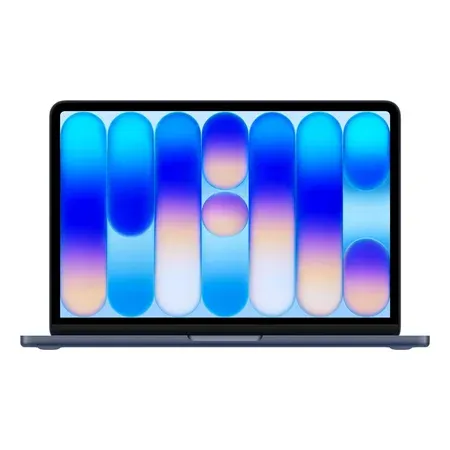
Best budget mac for battery
Apple MacBook Neo 13-inch (A18 Pro, 8GB, 256GB)
Apple claims up to 16 h video and 11 h web, 2.7 lb. $649 sold by Amazon on November 23, 2026; $699 at Apple.
FAQ
Which budget laptop has the longest battery life?
By maker claims, the HP OmniBook 5 14T-MH000 (up to 42 hours of local video) and OmniBook 3 14 Snapdragon (up to 41 hours 45 minutes). By battery size, the Acer Swift Air 14 has the most at 70 Wh.
Are maker battery claims accurate?
They’re measured with light tests, usually video playback at reduced brightness. Web browsing, video calls and full brightness use more power, so expect less.
Do Snapdragon laptops have better battery life?
They have some of the longest maker claims, but so does the Intel Core 5 320 OmniBook 5 14T. Snapdragon laptops have compatibility limits for some drivers and games.
How do I make a laptop battery last longer?
Lower the screen brightness, use the battery saver mode, close apps you’re not using and use dark mode on OLED screens.