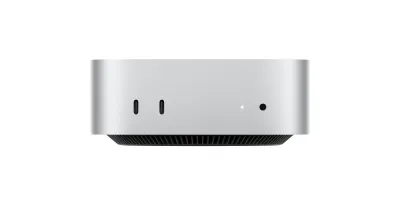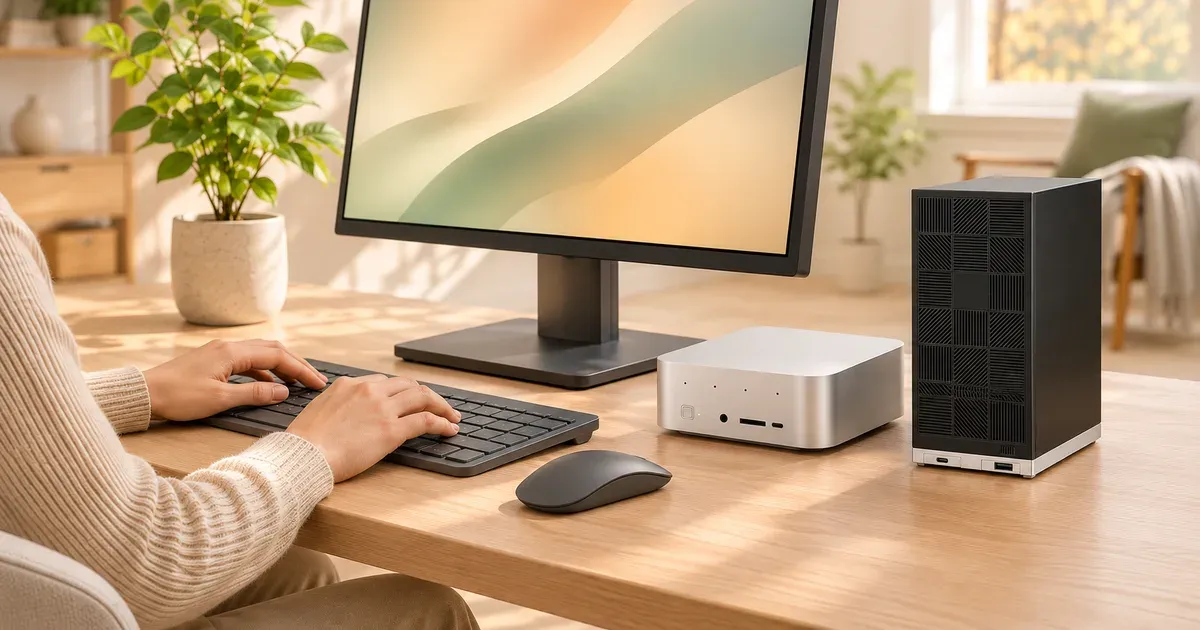
The short answer: buy the Framework Desktop if you run Linux or already own an SSD, because it’s about $750 cheaper at 128GB and avoids the GTR9 Pro’s known 10GbE problem; buy the Beelink GTR9 Pro if you want a finished Windows machine with a 2TB SSD, two 10GbE ports and a 3-year warranty. On some GTR9 Pro units the 10GbE ports drop out under heavy load, and Beelink’s own forum shows no complete fix as of November 2026 (details below). Both use AMD’s Ryzen AI Max+ 395 with Radeon 8060S graphics, 128GB of soldered LPDDR5x-8000 and an internal power supply. On November 22, 2026, the GTR9 Pro (128GB/2TB) was $4,199 at bee-link.com and $4,299 on Amazon; the Framework Desktop DIY Edition (128GB) was $3,449 with no SSD or OS.
GTR9 Pro vs. Framework Desktop at a Glance
| Beelink GTR9 Pro (395) | Framework Desktop (DIY Edition) | |
|---|---|---|
| CPU / GPU | Ryzen AI Max+ 395 (16C/32T, 140W TDP per Beelink), Radeon 8060S | Ryzen AI Max+ 395, Radeon 8060S |
| Memory | 128GB LPDDR5X-8000, soldered | 64GB or 128GB LPDDR5x-8000, soldered |
| Storage | 2TB included; 2x M.2 2280 PCIe 4.0 x4 (16TB max) | Not included; 2x M.2 2280 PCIe 4.0 x4 |
| OS | Windows 11 Pro (Ubuntu “OpenClaw” listing also sold) | Not included |
| USB4 | 2x 40Gbps (rear) | 2x (rear) |
| Video | DP 2.1 and HDMI 2.1 (8K 60Hz), plus USB4; 4 displays | HDMI 2.1, 2x DP 2.1, plus USB4; 4 displays |
| Ethernet | 2x 10GbE | 1x 5GbE (2.5GbE Expansion Card or 10GbE card +$99 optional) |
| Other | Front USB-C 10Gbps, SD 4.0, fingerprint power button; rear 2x USB-A 10Gbps | Rear 2x USB-A 10Gbps; 2 front Expansion Card slots |
| Wi-Fi / BT | Wi-Fi 7 / BT 5.4 | Wi-Fi 7 |
| Power | Built-in 230W | Built-in 400W FlexATX |
| Size / weight | 180 x 180 x 90.8 mm (2.94 L), 2.34 kg | 4.5 L, 3.1 kg |
| Warranty | 3 years | 1 year (3-year extension $189) |
| Returns | 30 days (bee-link.com orders) | 30-day return guarantee |
| Price, Nov. 22, 2026 | $4,199 (bee-link.com), $4,299 (Amazon) | $3,449 (128GB), $1,959 (64GB), before SSD/OS |
From bee-link.com and frame.work.
What the Price Gap Buys
Add a 2TB SSD ($505 in Framework’s configurator) and Windows 11 Pro ($199) to a 128GB Framework and it costs $4,153, close to the GTR9 Pro’s $4,199. At that point the choice comes down to features:
- GTR9 Pro: two 10GbE ports, an SD reader, a smaller box and two extra years of warranty.
- Framework: two DisplayPort 2.1 outputs, swappable Expansion Cards, a standard Mini-ITX board and a 64GB option ($1,959) that the GTR9 Pro doesn’t offer.
If you’ll run Linux and already own an SSD, the Framework saves $750.
The GTR9 Pro’s 10GbE Problem
Beelink’s support forum has a thread titled “GTR 9 Pro Ethernet Malfunction under load,” opened on September 28, 2025, with more than 630 replies by November 14, 2026. Owners report that the GTR9 Pro’s Intel E610 10GbE controller stops working when the GPU or CPU is under sustained load, on Ubuntu and Windows, and that only unplugging the PC from the wall brings it back. Beelink’s support staff posted in the thread throughout:
- September 2025: the cause is the Intel E610 Ethernet driver, with no fix available; use Wi-Fi or unplug and replug the power cable.
- November 21, 2025: a BIOS and network driver update “partially improved, though not fully resolved” the problem.
- January to July 2026: Beelink recommended updating the E610 firmware with Intel’s NVM update package (v1.30 or newer, v1.31 recommended) or, on Linux, the ixgbe driver v6.4.4 or later. It said this fixed some units, not all. For units it couldn’t fix, it offered a refund or replacement, and it reimbursed some owners for a USB Ethernet adapter.
- November 12, 2026: Beelink was still sending newer firmware to owners and said it was “still in the test.”
If you plan to run the GTR9 Pro as a server on 10GbE, apply Intel’s E610 firmware update first, test it under load inside the 30-day return window, and keep a USB4 or USB Ethernet adapter as a fallback. The Framework Desktop’s 5GbE port doesn’t have a comparable thread.
The 495 Versions
Both companies now sell the Ryzen AI Max+ PRO 495 / Max+ 495 with up to 192GB. Beelink’s GTR9 Pro 495 costs $4,799 (128GB/2TB) or $7,399 (192GB/2TB) and ships from China, with the buyer paying any duties. Framework’s 192GB PRO 495 DIY Edition costs $6,799 and its November batches sold out.
Which Should You Buy?
- Framework Desktop for Linux AI work, a 64GB budget option, or a machine you can open and repair.
- Beelink GTR9 Pro for a ready-to-run Windows workstation with a 2TB SSD and a 3-year warranty, if you’re willing to update its 10GbE firmware and test it under load.
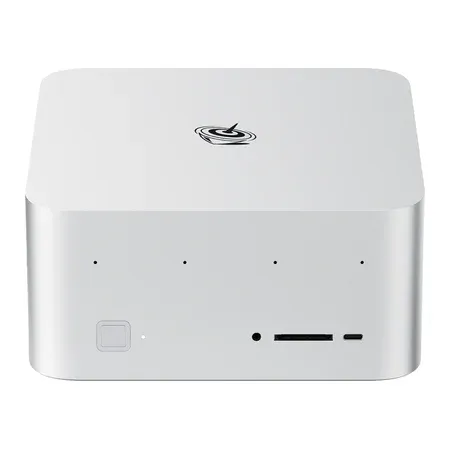
Complete workstation
Beelink GTR9 Pro (Ryzen AI Max+ 395, 128GB/2TB)
Radeon 8060S, 128GB, 2TB SSD, dual 10GbE, built-in 230W supply, 3-year warranty. $4,299 on Amazon.
The Framework Desktop is sold only at frame.work.
See also GMKtec EVO-X2 vs. Framework Desktop for a cheaper Ryzen AI Max+ 395 box.
Beelink GTR9 Pro vs. Framework Desktop FAQ
Are the GTR9 Pro and Framework Desktop equally fast?
They use the same Ryzen AI Max+ 395, Radeon 8060S and LPDDR5x-8000, so expect similar performance. Beelink lists a 140W TDP for the GTR9 Pro.
Which is cheaper?
The Framework DIY Edition ($3,449 at 128GB) without an SSD or OS. Configured with a 2TB SSD and Windows 11 Pro, it’s $4,153, about the same as the GTR9 Pro’s $4,199.
Does the Framework Desktop have 10GbE?
Not built in. It has 5GbE, and Framework sells a 10GbE card for $99.
Does the GTR9 Pro’s 10GbE work reliably?
Not on every unit. Beelink’s forum documents the Intel E610 10GbE ports dropping out under heavy load. Beelink recommends Intel’s E610 firmware v1.30 or newer (v1.31 recommended) or, on Linux, the ixgbe driver v6.4.4 or later, which fixed some units. It offers a refund or replacement for units it can’t fix.
Can you upgrade the RAM?
No, on either. Ryzen AI Max systems use soldered memory.
Where does the GTR9 Pro ship from?
US orders of the 395 model ship from Beelink’s US warehouse with no import fees. The newer GTR9 Pro 495 ships from China and the buyer pays duties.
Sources
- Beelink forum: GTR 9 Pro Ethernet malfunction under load
- Intel: NVM update package for Ethernet E610 series
- Beelink warranty policy
- Beelink GTR9 Pro (Ryzen AI Max+ 395)
- Beelink GTR9 Pro (Ryzen AI Max+ 495)
- Beelink shipping policy
- Framework Desktop specs
- Framework Desktop DIY Edition configurator
- Framework warranty