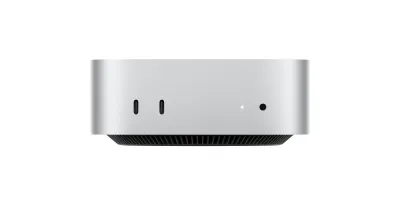
The short answer: buy the NUC 15 Pro; it adds Core Ultra Series 2 processors, a PCIe 5.0 SSD slot, Wi-Fi 7 and Bluetooth 5.4 in the same footprint, and ASUS’s store listed it from $579. The NUC 14 Pro is still worth it only if you find it clearly cheaper, or if you want the tall model’s 2.5-inch SATA bay, which the NUC 15 Pro’s spec sheet doesn’t list. Both are ASUS products (Intel handed its NUC line to ASUS), both come as barebone Kits (no RAM, SSD or OS) or finished Mini PCs, and both carry a 3-year ASUS warranty when bought from ASUS.
NUC 14 Pro vs. NUC 15 Pro at a Glance
| ASUS NUC 14 Pro | ASUS NUC 15 Pro | |
|---|---|---|
| Models | NUC14RVH (tall) / NUC14RVK (slim); Kits end in -B | NUC15CRH (tall) / NUC15CRK (slim); Kits end in -B |
| CPUs | Core Ultra 7 165H vPro / 155H, Ultra 5 135H vPro / 125H (Series 1); Core 3 100U | Core Ultra 7 265H vPro / 255H, Ultra 5 235H vPro / 225H (Series 2); Core 7 240H, Core 5 210H / 120U, Core 3 100U |
| Graphics | Intel Arc (needs two SO-DIMMs) | Intel Arc (needs two SO-DIMMs) |
| Memory | 2x DDR5-5600 SO-DIMM, 96GB max | 2x DDR5-5600 SO-DIMM or CSO-DIMM 6400, 96GB max |
| M.2 slot 1 | 2280 PCIe 4.0 x4, to 4TB | 2280 PCIe 5.0 x4 with Core Ultra (4.0 with Core), to 8TB |
| M.2 slot 2 | 2242 PCIe 4.0 x4, to 2TB | 2242 PCIe 4.0 x4, to 2TB |
| 2.5-inch bay | Yes (tall NUC14RVH) | Not listed |
| Rear ports | 2x Thunderbolt 4 (DP 2.1), 2x HDMI 2.1, USB-A 10Gbps, USB 2.0 | 2x Thunderbolt 4 / USB4 (DP 2.1), 2x HDMI 2.1, USB-A 10Gbps, USB 2.0 |
| Front ports | USB-C 20Gbps, 2x USB-A 10Gbps | USB-C 20Gbps, 2x USB-A 10Gbps |
| Ethernet | 1x 2.5GbE (Intel I226) | 1x 2.5GbE (Intel I226) |
| Wi-Fi / BT | Wi-Fi 6E / BT 5.3 | Wi-Fi 7 / BT 5.4 |
| Adapter | 120W (Core Ultra), 90W (Core 3) | 120W; 90W for Core 3 |
| Size | 117 x 112 x 54 mm (tall) / 37 mm (slim) | 117 x 112 x 54 mm (tall) / 36.8 mm (slim) |
| Price | Not listed on ASUS’s US store; $1,299 for NUC14RVH 32GB/1TB on Amazon (third party) | From $579 at ASUS’s US store; Kit $650.31 on Amazon (sold by Amazon) |
Specs from ASUS datasheets and techspec pages; prices November 22, 2026.
What the NUC 15 Pro Changes
- Series 2 Core Ultra (Arrow Lake H). Intel lists the Ultra 7 255H with Arc 140T graphics (8 Xe-cores) and a 13 TOPS NPU. Note that Series 2 H chips drop Hyper-Threading: the 255H is 16 cores / 16 threads, while the 155H is 16 cores / 22 threads.
- A PCIe 5.0 M.2 slot with Core Ultra CPUs, for the fastest SSDs.
- Wi-Fi 7 and Bluetooth 5.4.
- CSO-DIMM support at 6400 MT/s.
Both need two memory sticks for Arc graphics; ASUS notes that a single-stick setup falls back to basic Intel Graphics. Keep that in mind with kits.
The NUC 16 Pro Is Out
ASUS announced the NUC 16 Pro on March 9, 2026, with Core Ultra Series 3 (up to X9 388H with Arc B390), two 2.5GbE ports and Bluetooth 6.0; ASUS’s store listed it from $559. Some versions use soldered LPDDR5x (32 or 64GB) instead of SO-DIMMs, so check the SKU.
Best pick
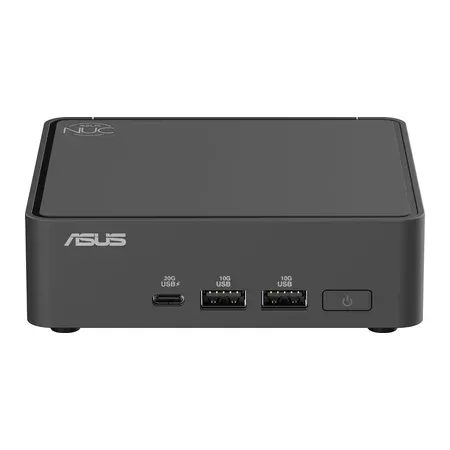
ASUS NUC 15 Pro Barebone Kit
Core Ultra Series 2, PCIe 5.0 M.2, two Thunderbolt 4 ports, Wi-Fi 7. Add RAM, SSD and OS. $650.31 on Amazon.
Tall model with SATA bay
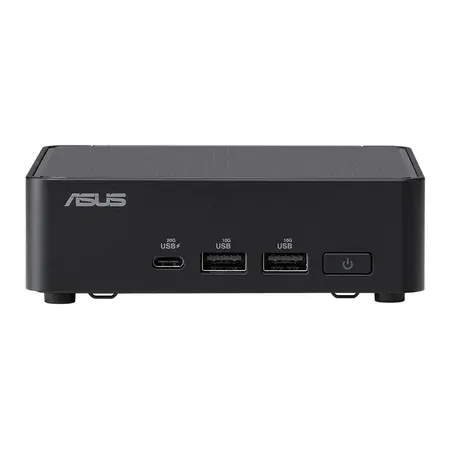
ASUS NUC 14 Pro (NUC14RVH, 32GB/1TB)
Core Ultra Series 1 in the tall chassis with a 2.5-inch bay. $1,299 on Amazon (third-party seller).
ASUS NUC 14 Pro vs. NUC 15 Pro FAQ
Is the NUC 15 Pro worth it over the NUC 14 Pro?
Yes, at similar prices: newer CPUs, a PCIe 5.0 SSD slot, Wi-Fi 7 and Bluetooth 5.4. Keep the NUC 14 Pro tall model in mind only if you need its 2.5-inch SATA bay.
Is it an Intel NUC or an ASUS NUC?
ASUS. Intel transferred the NUC line to ASUS, which has handled warranty for 7th- to 13th-gen Intel NUCs since January 16, 2024. The 14 and 15 series are ASUS products.
What’s the difference between a NUC Kit and a NUC Mini PC?
Kits (model numbers ending in -B) have no memory, storage or operating system. Mini PCs come ready to use.
Why do I need two RAM sticks?
ASUS says Intel Arc graphics on the NUC 14 Pro and NUC 15 Pro require both SO-DIMM slots filled. With one stick, graphics run as basic Intel Graphics.
What warranty do ASUS NUCs have?
ASUS’s US store lists a 3-year manufacturer warranty for NUCs it sells.